
Free CV Generator Online
Looking for a simple and free way to create a professional CV?
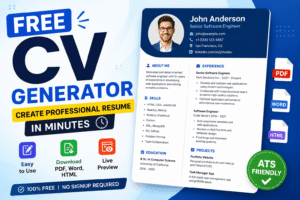
Thank you for reading this post, don't forget to subscribe!Our Free CV Generator helps you build a modern, clean, and ATS-friendly resume in just a few minutes. You do not need any design skills or expensive software. Just enter your information, choose your preferred layout, and download your CV instantly.
Whether you are a student, a fresh graduate, a job seeker, or an experienced professional, this tool makes resume building easy for everyone.
What is a CV Generator?
A CV Generator is an online tool that helps people create a professional Curriculum Vitae (CV) or resume without using Microsoft Word or graphic design software.
Instead of spending hours formatting a document, you simply fill in your personal details, education, work experience, skills, and achievements. The tool automatically creates a beautiful and professional resume.
Our CV Generator is designed to save your time while giving you a polished resume that employers will love.
Why Choose Our Free CV Generator?
Many people struggle to create a resume because they do not know where to start.
Our tool solves this problem by providing a fast and easy solution.
Here are some reasons why thousands of users love our CV Generator.
Easy to Use
You only need to enter your information.
The resume is created automatically.
No technical knowledge is required.
Completely Free
You can create and download your CV without paying any hidden charges.
There are no subscriptions or monthly fees.
Live Preview
One of the best features of our CV Generator is the live preview.
As you type your information, your resume updates instantly on the screen.
This helps you see exactly how your CV will look before downloading it.
Download in Multiple Formats
Our tool allows you to download your resume in different formats.
These include:
- Microsoft Word
- HTML
This gives you flexibility for online applications, printing, and editing later.
Who Can Use This CV Generator?
Our online CV Builder is perfect for everyone.
It is especially useful for:
- Students
- Fresh graduates
- Job seekers
- Teachers
- Software developers
- Engineers
- Designers
- Freelancers
- Business professionals
- Remote workers
No matter your profession, you can build a professional resume in minutes.
Key Features of Our CV Generator
Our CV Generator includes many useful features that make resume creation simple and professional.
Professional Templates
Create clean and modern resumes that impress employers.
ATS-Friendly Resume
Many companies use Applicant Tracking Systems (ATS) to scan resumes.
Our templates are designed to work well with ATS software, increasing your chances of getting shortlisted.
Fast Resume Creation
Build your complete CV in less than 10 minutes.
No complicated settings.
No unnecessary steps.
Simple User Interface
Our clean interface makes resume building easy even for beginners.
Anyone can use this tool without watching tutorials.
Mobile Friendly
Create your CV from your mobile phone, tablet, laptop, or desktop computer.
Your resume looks great on every device.
Secure and Private
Your personal information remains private.
We respect your privacy and focus on providing a safe user experience.
Benefits of Using an Online CV Generator
Creating a resume manually takes a lot of time.
Formatting problems can make your resume look unprofessional.
Our online CV Generator solves these issues.
Benefits include:
- Save time
- Professional design
- ATS compatibility
- Easy editing
- Instant download
- Better first impression
- Improved job application success
A well-designed CV can help you stand out from hundreds of applicants.
That is why choosing a professional CV Generator is a smart decision.
What Information Should You Include in a CV?
A professional CV should include all the important details that an employer needs to know about you. A complete and well-organized CV increases your chances of getting shortlisted for an interview.
Here are the most important sections every CV should have.
1. Personal Information
Start with your basic personal details.
Include:
- Full Name
- Professional Job Title
- Phone Number
- Email Address
- City and Country
- LinkedIn Profile (Optional)
- Portfolio or Website (Optional)
Always use a professional email address.
2. Professional Summary
Write a short summary about yourself.
Keep it between 3 to 5 sentences.
Explain your experience, strengths, and career goals.
A strong summary helps employers quickly understand who you are.
3. Work Experience
List your work experience starting with your most recent job.
For each position include:
- Company Name
- Job Title
- Employment Dates
- Main Responsibilities
- Key Achievements
Use simple bullet points to make your experience easy to read.
4. Education
Include your educational background.
Mention:
- Degree Name
- School, College, or University
- Graduation Year
- Grades or GPA (Optional)
5. Skills
List the skills that match the job you are applying for.
Examples include:
- Communication Skills
- Leadership
- Teamwork
- Problem Solving
- Time Management
- Microsoft Office
- HTML
- CSS
- JavaScript
- Graphic Design
- SEO
- Digital Marketing
Only include skills that you actually have.
6. Certifications
Add any certificates that support your qualifications.
Examples include:
- Google Certifications
- Microsoft Certifications
- Coursera Courses
- Udemy Courses
- LinkedIn Learning
Certificates show that you continue learning new skills.
7. Projects
If you have completed personal, freelance, or academic projects, include them.
Mention:
- Project Name
- Short Description
- Technologies Used
- Results
Projects are especially useful for students and fresh graduates.
8. Languages
Mention the languages you can speak or write.
For example:
- English
- Urdu
- Arabic
- French
9. Awards and Achievements
Highlight any awards or achievements that make your profile stronger.
Examples include:
- Employee of the Month
- Best Student Award
- Competition Winner
- Scholarship Recipient
10. References
References are optional.
If needed, simply write:
References available upon request.
Tips for Writing a Perfect CV
Follow these simple tips to make your CV more effective.
- Keep your CV clear and simple.
- Use easy-to-read fonts.
- Avoid spelling mistakes.
- Keep the design clean.
- Use bullet points instead of long paragraphs.
- Customize your CV for each job.
- Use action words like Developed, Managed, Created, Designed, Improved, and Led.
- Save your CV as a PDF before sending it.
- Keep your CV updated regularly.
A professional CV should highlight your strengths while staying simple, honest, and easy to read.
How to Create a Professional CV Using Our Free CV Generator
Creating a professional CV has never been easier. Our Free CV Generator is designed for students, fresh graduates, experienced professionals, freelancers, and job seekers who want to create an ATS-friendly resume in just a few minutes.
You do not need any design skills or technical knowledge. Simply follow these easy steps, and your professional CV will be ready to download.
Step 1: Enter Your Personal Information
The first step is to fill in your personal details. Make sure all information is correct because employers use this information to contact you.
Include the following:
- Full Name
- Professional Job Title
- Email Address
- Phone Number
- City and Country
- LinkedIn Profile (Optional)
- Personal Website or Portfolio (Optional)
Always use a professional email address. Avoid using nicknames or informal email IDs.
Step 2: Write a Professional Summary
Your professional summary is the first thing employers read.
Write a short paragraph of 3 to 5 sentences that explains:
- Who you are
- Your experience
- Your strongest skills
- Your career goals
A good summary helps employers understand your profile within a few seconds.
Example
“I am a motivated Web Developer with over three years of experience in creating modern and responsive websites. I enjoy solving problems and building user-friendly applications. I am always ready to learn new technologies and improve my skills.”
Step 3: Add Your Work Experience
List your work experience starting with your latest job.
For every position include:
- Company Name
- Job Title
- Employment Dates
- Responsibilities
- Achievements
Instead of writing long paragraphs, use bullet points.
Example
Web Developer
ABC Software House
2023 – Present
- Developed responsive websites.
- Improved website speed.
- Fixed technical issues.
- Worked with clients.
- Increased website performance.
Step 4: Add Your Education
Your education tells employers about your academic background.
Include:
- Degree Name
- School, College, or University
- Graduation Year
- Grade or GPA (Optional)
Example:
Bachelor of Computer Science
University of Lahore
2024
Step 5: Add Your Skills
Skills are one of the most important parts of a professional CV.
Choose skills related to the job you are applying for.
Technical Skills
- HTML
- CSS
- JavaScript
- PHP
- Python
- React
- WordPress
- SEO
- Digital Marketing
Soft Skills
- Communication
- Leadership
- Teamwork
- Time Management
- Critical Thinking
- Problem Solving
- Creativity
- Adaptability
Only include skills that you actually know.
Step 6: Add Certifications
Certificates make your CV stronger.
They show employers that you continue learning new skills.
Examples include:
- Google Digital Marketing Certificate
- Microsoft Office Certification
- Coursera Courses
- Udemy Courses
- HubSpot Certifications
Step 7: Add Projects
Projects are very important for students and fresh graduates.
Describe projects you have completed during study, freelancing, or work.
Include:
- Project Name
- Short Description
- Technologies Used
- Results
Projects show your practical knowledge.
Step 8: Add Languages
Mention every language you can speak or write.
For example:
- English
- Urdu
- Arabic
- Hindi
- French
Knowing multiple languages can be a valuable advantage.
Step 9: Add Awards and Achievements
Show employers your accomplishments.
Examples include:
- Employee of the Month
- Best Student Award
- Scholarship Winner
- Competition Winner
- Sales Achievement Award
Achievements make your CV more impressive.
Step 10: Download Your CV
After checking all your information, click the Download button.
Our CV Generator allows you to export your resume in multiple formats.
- Microsoft Word
- HTML
PDF is the best option because the formatting remains the same on every device.
Common CV Mistakes to Avoid
Many people lose job opportunities because of small mistakes.
Avoid these common errors.
- Spelling mistakes
- Grammar errors
- Wrong phone number
- Unprofessional email address
- Too many colors
- Very long paragraphs
- Irrelevant work experience
- Fake information
- Low-quality photo
- Outdated skills
Always proofread your CV before downloading it.
Why Our CV Generator Is Better Than Manual Resume Writing
Creating a CV manually in Microsoft Word takes a lot of time.
Formatting problems are very common.
Our online CV Generator automatically creates a clean and professional layout.
Benefits include:
- Saves time
- Easy to use
- ATS-friendly templates
- Live preview
- Professional formatting
- Multiple download options
- Mobile-friendly interface
- Free to use
- No design experience required
- Fast resume creation
Whether you are applying for your first job or changing your career, our Free CV Generator helps you create a resume that looks modern, professional, and ready for employers.